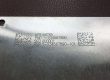
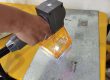
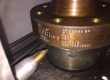
Choose a laser engraver for stainless steel by what the mark must survive after marking, not by wattage. A 20–30 W fiber laser suits parts that ship as-is. A MOPA fiber laser suits sanitary and medical parts. Deep engraving or dot peen suits blasted, painted or heat-treated parts.
Jump to: Selection table Machines & prices Will it rust? Diode vs fiber
A shop laser-marks part numbers on 316 stainless and sends the batch out for passivation (an acid bath that helps the steel’s rust-proof film re-form). The parts come back with faded marks, or with rust at the marks. Metal-finishing forums are full of this exact complaint.
So the mark (the text, serial number or logo on the part) and what it must survive decide the machine. A MOPA fiber laser can adjust its pulse length. Dot peen uses a carbide pin that punches rows of small dents. At HeatSign, we sell all four, so we can also tell you which one to skip. Below: a selection table, prices, rust risks and what a $500 diode can and cannot do.
Which marking machine fits your stainless steel part?
Match the machine to the part and the process that comes after marking. A 20–30 W fiber laser marker suits nameplates and machined parts that ship as-is. MOPA suits sanitary and medical parts. Deep engraving or dot peen suits parts that get blasted, painted or heat-treated. Portable units cover pipe and tanks.
The same machine can be right on one part and wrong on the next. A 30 W fiber laser marker is the right tool for a 304 nameplate. It is the wrong tool for a valve body that gets grit-blasted next week. Find your part in the left column.
Your part | What the mark must survive | Machine | Price (USD) |
|---|---|---|---|
Valve bodies, fittings, flanges (304, 316, CF8M cast 316) | Pickling (acid descaling), passivation, paint, pressure test | Dot peen on a flange rim or marking boss (a raised pad for marks); desktop fiber laser for Data Matrix codes on small machined fittings | Dot peen $1,500–2,850 (rotary $3,000–5,000); fiber $1,950–5,000 |
Pipe and tube | Passivation, handling; long lengths stay where they are | Portable fiber laser or handheld dot peen; short tube: desktop fiber laser with a rotary axis (spins round parts) | Portable fiber $1,950–3,800; handheld dot peen $1,600–2,850 |
Tanks and pressure vessels (already assembled) | Outside paint; inside clean-in-place (CIP) washing | Mark the outside wall or a nameplate, never the product side: dot peen if painted, portable fiber laser if left bare | Dot peen $1,600–2,850; portable fiber $1,950–3,800 |
Nameplates and tags (304 sheet, 0.5–1.5 mm) | Outdoors, temperature swings | Desktop fiber laser, 20–30 W (black annealing mark); MOPA for darker black or color | Fiber $1,950–5,000; MOPA $3,500–6,000 |
Food and beverage equipment (316, washdown) | Caustic and acid cleaning, CIP | Mark non-contact areas or a plate; on a contact surface, only a low-heat MOPA annealing mark plus passivation | MOPA $3,500–6,000 |
Reusable surgical and medical instruments (420, 17-4 PH, 316L) | Autoclave (steam sterilizing), high-pH cleaning, passivation | MOPA with matched passivation; enclosed (Class 1) model where open lasers are banned; test 17-4 PH first | MOPA $3,500–6,000; enclosed $3,500–7,000 |
Machined parts that ship as-is | Handling, washing | Desktop fiber laser, 20–30 W | $1,950–5,000 |
Parts blasted or bead-blasted after marking | Grit or glass-bead blasting | Deep engraving, 0.1 mm (0.004 in) or more, or dot peen; enlarge Data Matrix cells | Deep-engrave $2,900–3,900; dot peen $1,500–2,850 |
Parts heat-treated after marking; molds and deep logos | Tempering or brazing above 200 °C (392 °F); polishing | Deep engraving or dot peen; no annealing mark | Deep-engrave $2,900–3,900; dot peen $1,500–2,850 |
Three rules sit under every row
- Blasting, thick paint or heat above 200 °C after marking? Do not rely on an annealing mark, the black mark a laser makes by heating the surface. Laser makers’ own data show these marks fade above about 200 °C.
- Pressure walls and food-contact surfaces: check where the rules let you mark. For valves and flanges, the industry marking standard (MSS SP-25, section 2.2) wants round-bottom, low-stress stamps on pressure walls but exempts flange rims and marking bosses. Our MSS SP-25 marking requirements guide lists every field.
- Data Matrix codes that face an audit: these small square barcodes, a bit like QR codes, are graded A to F for direct part marks (ISO/IEC 29158). “My phone scans it” is not a pass.
Two rows have their own guides. Pipe and tube marking covers heat numbers on long stock, and our nameplate engraving machine guide compares plate processes.
Part not in the table?
Send us a photo and tell us the finish after marking.

Which stainless steel marking machines make the shortlist, and what do they cost?
At HeatSign, most stainless jobs land on one of five machine types. Desktop fiber laser marking machine: $1,950–5,000. MOPA fiber laser: $3,500–6,000. Deep-engrave laser: $2,900–3,900. Portable fiber laser: $1,950–3,800. Dot peen marker: $1,500–2,850. Choose by the part, not the watts.
Each range covers power and options. Standard machines ship in 5–7 working days; custom builds take longer.
 Desktop fiber laser marking machine, 20–50 W$1,950–5,000Best for: nameplates, machined parts, serial numbers and Data Matrix codes on parts that ship as-isMarking area 110 × 110 mm to 300 × 300 mmSee the desktop fiber laser marking machine →
 MOPA fiber laser marking machine, 30/60/100 W$3,500–6,000Best for: darker annealing marks with less heat, color logos, sanitary and medical partsMOPA (master oscillator power amplifier): pulse width adjustable from 2 to 350 nsSee the MOPA laser engraver →
 Deep-engrave laser engraver, 35/60 W$2,900–3,900Best for: molds, deep logos, marks that must survive blasting1.5 mJ pulse energy; motorized Z axis that refocuses as the cut gets deeperSee the deep laser engraver for metal →
 Portable fiber laser marker, 30/50 W$1,950–3,800Best for: pipe, tanks and frames too big for a bench1.5 kg (3.3 lb) marking head, 7-inch touch screen, battery optionSee the portable fiber laser marker →
 Handheld dot peen marker$1,600–2,850Best for: parts that get painted, blasted or passivatedNo air line; plug-in or battery; marks steel up to 60 HRC hardnessSee the handheld dot peen marker →
HeatSign’s MOPA machine is the one to pick for sanitary and medical parts. Skip it if your parts get blasted after marking: its darker black is still a surface mark, and the blaster removes it.
Three more machines cover special cases
- Enclosed Class 1 laser engraver ($3,500–7,000): the beam stays inside a closed cabinet. It suits plants whose EHS team (environment, health and safety) rejects open Class 4 lasers, the highest hazard class. Ask us which laser sources fit it.
- Pneumatic dot peen marking machine ($1,500–2,800): runs on shop air and marks deeper per pass than electric models.
- Rotary dot peen marker ($3,000–5,000): marks all the way around flanges, rings and shafts.
Every HeatSign laser marking machine runs 48–72 hours of burn-in before it ships and is reported to the FDA CDRH, the office that oversees laser products. You get a 1-year warranty and remote support with no end date.
Black mark, white etch, deep engrave or dot peen: which one survives your process?
An annealing mark stays smooth, but its color sits in an oxide film well under a micron thick, so blasting or heat above about 200 °C erases it. A white etch is shallow. Deep engraving deeper than the blast cuts survives blasting, and dot peen dents survive paint, blasting and acid.
Here are the four marks side by side. For each one, ask a single question: what happens to it in the next process?

Black annealing mark
- How deep: no metal removed
- After blasting: gone
- After passivation: can fade; test first
- Machine: desktop fiber or MOPA laser

White etch
- How deep: shallow; one pass removes about 0.01–0.02 mm in our experience
- After blasting: a light blast can erase it
- After passivation: needs it, because fresh metal is exposed
- Machine: desktop fiber laser

Deep engraving
- How deep: 0.1 mm (0.004 in) and more, in many passes
- After blasting: survives if deeper than the blast cuts
- After passivation: needs it
- Machine: 50 W+ fiber laser or deep-engrave model

Dot peen
- How deep: about 0.5 mm with a pneumatic marker (0.4 mm shown)
- After blasting: survives
- After passivation: the acid does not remove a dent
- Machine: dot peen marker; keep off food-contact surfaces
The annealing mark is the one most buyers want and the one most often lost. No metal is removed, so the surface stays smooth. Laser suppliers recommend it for sanitary and fatigue-critical parts for that reason.
That thin film is also its weak point. A grit blast or a trip through a furnace takes it away. For blasting and paint, depth is the budget: the mark must be deeper than what the blast removes plus what the coating fills. Our guide to laser marking that stays readable after painting works through those numbers.
Depth has a ceiling, too. On critical parts, the US Navy’s marking standard (MIL-STD-792F) limits dot peen marks to 0.004 in (0.10 mm) and laser marks to 0.005 in (0.13 mm), and each laser machine must be qualified. Deeper is not always better.
Dot peen is easy work on 300-series stainless. 304 sheet is at most 92 HRB (ASTM A240), far softer than the 60 HRC limit of a dot peen marker. HRB and HRC are hardness scales; a higher number means harder steel. On stainless steel, HeatSign’s pneumatic dot peen markers reach about 0.5 mm deep; the dot peen card above shows characters about 0.4 mm deep.
Will a laser mark make stainless steel rust?
Yes, it can. A laser mark changes the chromium-rich film that protects stainless steel, and too much heat leaves a chromium-poor spot that rusts or fades in passivation. Low-heat settings plus a matched passivation step kept marks readable through at least 500 sterilization and cleaning cycles in one published study.
A metal-finishing forum post lists what often happens to laser marks “upon passivation”: “The darkness … fades or disappears … Rust appears at the marks.” The cause sits in a layer you cannot see.
Stainless steel resists rust because chromium forms a thin, self-healing oxide layer on the surface, called the passive film. Every laser mark changes that film. What matters is how much heat goes in, and what you do afterward.

Mark | What it does to the passive film | Rust risk | What to do |
|---|---|---|---|
Annealing mark | Heat grows a thicker colored oxide; more heat means lower corrosion resistance | Fading or rust spots after passivation | Lowest heat that still gives contrast; citric passivation; test |
White etch or deep engraving | Removes metal, exposes fresh steel, makes the surface much rougher | Fresh, rough steel corrodes if left as-is | Always passivate after marking |
Dot peen | Cold dents; no heat, no metal removed | No heat damage, but the dent is a small crevice | Keep off cleanable contact surfaces; passivate as usual |
Three numbers on laser marks and rust
About 15%
less chromium in black marks on 17-4 PH that failed passivation testing, compared with marks that passed (Laser Focus World).
0.35 V → 0.75 V
pitting potential of 316L in a 0.9% salt solution, untreated versus after tuned fiber laser marking, in one lab study (Materials journal). Higher means more resistant to pitting, the small deep rust holes stainless can get.
500+ cycles
laser-marked UDI marks on surgical instruments stayed readable after at least 500 sterilization and cleaning cycles, with passivation matched to the marking.
The middle number shows that settings matter more than the laser type. In that study, a 70 W nanosecond fiber laser (pulses lasting billionths of a second), run at 7 W, 450 mm/s and 50 kHz, left 316L more resistant to pitting than bare steel.
The surface also got more than 100 times rougher, and the authors warn that poorly tuned settings “may unintentionally provoke corrosion.”
A peer-reviewed study in Applied Optics adds the other half: increasing heat input is “the most crucial parameter” in how much a laser mark lowers the corrosion resistance of stainless steel.
How do medical instruments keep a UDI mark through reprocessing?
US rules require a permanent UDI (Unique Device Identification: the device ID in plain text, a Data Matrix code or both) on reusable devices that are reprocessed between uses (21 CFR 801.45). The FDA leaves the marking method to the device maker. The mark has to last the device’s life.
That is harder than it sounds. Engineers at a large orthopedic device maker told an ASM conference that the laser mark “is a common site for corrosion to occur” on surgical instruments.
What the 500-cycle study found
It used a cleaning agent at pH 14. Its authors say only passivation “developed to exactly match the marking process” protects the mark long term. Using an ultrashort-pulse laser does not let you skip it.
Plan for 420 and 17-4 PH instruments
Use a low-heat MOPA mark, a matched passivation recipe, and sample tests before sign-off.
Where can you mark food equipment without breaking sanitary rules?
Put marks on non-contact areas or a separate nameplate. The FDA Food Code (section 4-202.11) asks that multi-use food-contact surfaces be smooth. They must be “free of breaks, open seams, cracks, chips, inclusions, pits, and similar imperfections.” A dot peen dent or an engraved groove is that kind of pit.
The Food Code covers retail and food-service equipment. Processing equipment usually follows 3-A, NSF or EHEDG rules, and we could not find a published clause in them on marking contact surfaces.
If a mark must go on a contact surface, use a low-heat black annealing mark plus passivation. Ask your 3-A or NSF auditor before you start.
Not sure where the mark can go on your part? Send HeatSign a photo of the part and show where you want the mark.
Should you mark stainless steel before or after passivation?
Mark first, then passivate, then run a verification test such as copper sulfate or high humidity. If the black mark fades, lower the heat input or switch from nitric to citric acid. Touch up parts marked after assembly with passivation gel, and keep the gel wet.
The usual passivation standard (ASTM A967) allows nitric acid, citric acid or electrochemical treatment. It also lists quick tests that confirm the result, including water immersion, high humidity, salt spray and copper sulfate. Cleaning and descaling beforehand follow a companion standard (ASTM A380).

Step 1
Choose the mark type
What you do
Pick annealing, etch, deep engraving or dot peen from the selection table.
What you check
Will the part see blasting, paint or heat above 200 °C?
Step 2
Mark
What you do
Use the lowest heat that gives contrast; on a MOPA, try shorter pulses.
What you check
Contrast and Data Matrix grade before the acid bath.
Step 3
Passivate and verify
What you do
Nitric or citric bath, then a verification test.
What you check
Is the mark still dark? Any pink copper or rust at the mark?
The copper sulfate test turns pink where free iron is left on the surface. A pink mark means the passive film did not form there.
When the black mark washes off
- Cut the heat input. Lower the power, raise the speed or shorten the pulse. In the tests reported by Laser Focus World, failed marks were low in chromium.
- Try citric acid. The same article found citric acid “less aggressive to the mark.” Nitric acid shortened mark life in autoclave cleaning.
- Sample hard grades first. On 17-4 PH, one forum engineer wrote: “sometimes the laser marking comes off and when copper sulphate is added it bleeds pink.” The article says 300-series parts mark well with a nanosecond fiber laser. Grades like 17-4 PH may need a UV or picosecond laser, with pulses about a thousand times shorter.
Some finishers argue the other way: finish first, mark last. As one put it, “laser marking operation follows surface finishing.” That works when the mark never goes back into acid, for example on parts marked as the last step before shipping.
Marking after assembly needs a local touch-up. A reply on the same forum warns about the gel: “When the gel dries on the surface, the iron that it has removed is precipitated back on the surface.” That can fail a salt spray test, so keep the gel wet for the full contact time.
Want to test before you buy?
Send HeatSign a few parts and tell us your passivation method. We mark them so you can run them through your own line.
How much laser power, and how long, for deep engraving on stainless steel?
A 20–30 W fiber laser marker handles surface and annealing marks. For marks that must survive blasting, plan on 50 W or more. At 100 W, about 0.05–0.11 mm³ of steel comes off per second, so a 20 × 10 mm logo 0.1 mm deep takes roughly 3–7 minutes.
Average power is not what digs. Pulse energy is: how much energy each laser pulse carries. One pass of a standard fiber laser removes only about 0.01–0.02 mm in our experience, so depth comes from repeating passes.

Engraving time: our estimate
Time = volume ÷ removal rate
- Volume: 20 mm × 10 mm × 0.1 mm = 20 mm³ (a 0.8 × 0.4 in logo, 0.004 in deep)
- Removal rate on steel at 100 W: 0.05–0.11 mm³/s with a 254 mm lens (a laser maker’s published tests); 0.04–0.09 mm³/s with a 420 mm lens
- Time: 20 ÷ 0.11 ≈ 180 s (3 min) to 20 ÷ 0.05 = 400 s (about 7 min)
This is an estimate from published numbers, not a test on your part. A bigger lens (wider field) removes less per second.
Power | What it does on stainless | Typical jobs |
|---|---|---|
20 W | Annealing marks, white etch, serial numbers, Data Matrix codes | Nameplates, small machined parts |
30 W | The same marks, faster; light engraving | Mixed shop work, logos |
50 W | Deep marks in fewer passes | Parts that get blasted after marking |
Deep-engrave model, 35 or 60 W | 1.5 mJ pulses; deep logos and 2.5D relief (raised, 3D-looking images) | Molds, dies, deep branding |
HeatSign’s deep engraver delivers 1.5 mJ per pulse; standard 30 W fiber sources usually top out at 0.6–0.8 mJ. On brass, not stainless, the 35 W model cuts a 30 mm coin 0.5 mm deep in about 15–25 minutes, and the 60 W model runs about 30% faster. Time a stainless sample before you plan cycle times.
Field work has its own numbers. At a customer that makes short pipe nipples, a 60 W portable fiber laser reached about 0.1 mm on stainless, against about 0.2 mm on carbon steel. For the full speed-versus-depth trade-off, see our 20 W vs 30 W vs 50 W fiber laser guide.
Can a $500 diode or a $2,500 hobby fiber laser do the same job?
No, not on production parts. A blue diode marks bare stainless only with a coating spray, because its steady beam delivers thousands of times less power density than a pulsed fiber laser. Hobby fiber machines mark well, but they are Class 4 lasers, and one maker’s manual caps runs at 5 hours.
The usual explanation, that blue light “absorbs worse” on steel, is wrong. Metals generally absorb blue light better than infrared. Copper, for example, absorbs roughly 65% at 450 nm against about 5% at 1064 nm. The real gap is power density: how much power lands on each square millimeter.
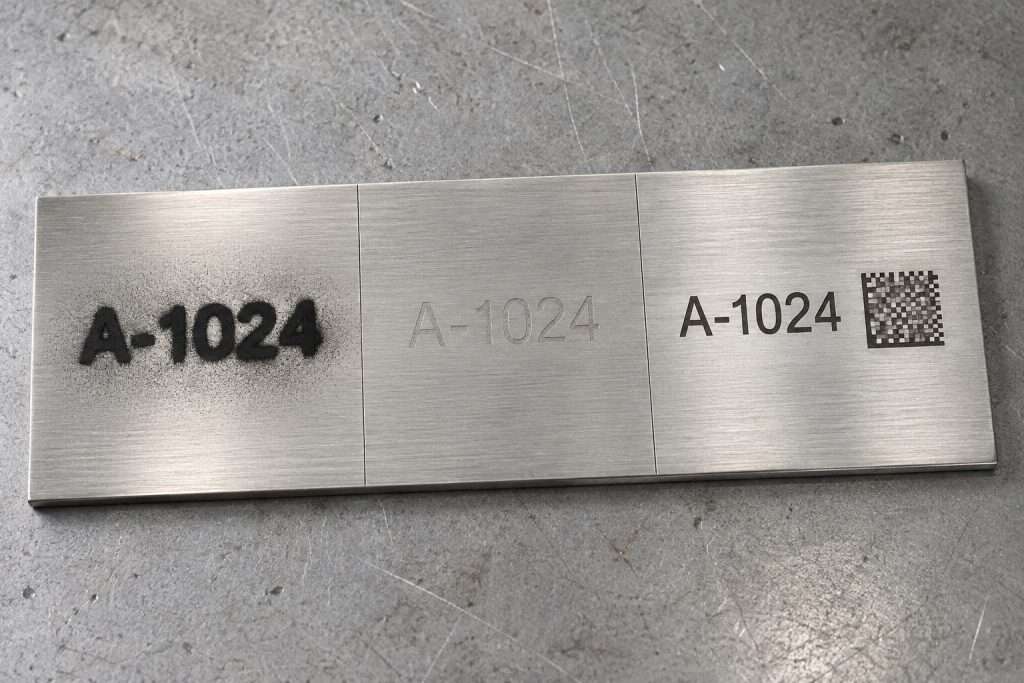
Power density: order-of-magnitude estimate, two different machines
- 20 W blue diode: steady light on a spot of about 0.08 × 0.1 mm → roughly 2,500 W/mm²
- 20 W MOPA fiber laser: nanosecond pulses with peak power (power during each pulse) up to about 10 kW, on a spot near 0.03 × 0.03 mm → roughly 11,000,000 W/mm²
- Ratio: about 4,000 times
Our estimate from published spot sizes and a published MOPA study, not a lab measurement.
That gap is why a diode needs spray. The spray is a coating that bonds to the steel, not a change in the steel itself. Duty cycle, how long a machine can run before it needs a rest, is the other limit for hobby machines.
Tier and examples | Listed price (USD) | On bare stainless | Limits |
|---|---|---|---|
Blue diode, 5–40 W (AlgoLaser, Creality Falcon, xTool D series) | Under $700; a 20 W model listed at $629 | Logos and text with a marking spray; faint marks after slow passes | Spray adds a coating; slow; no Data Matrix grade control; open Class 4 |
Low-power infrared, 2–5 W (xTool F2, LaserPecker LP4) | About $1,000–1,500 | Light marks on small items; F2 field 115 × 115 mm | xTool says the F2 “can engrave but not cut metal” |
Consumer fiber and MOPA, 20–60 W (xTool F1 Ultra, ComMarker B6, Gweike G2, OMTech, Monport) | About $2,000–5,300 | Annealing marks, shallow engraving, color with MOPA; rated maximum depth 0.04–0.1 mm | Class 4 (lids can open while the laser runs); no PLC or I/O (factory control signals); Monport’s manual: run at most 5 h, then rest at least 30 min |
Industrial fiber and MOPA, factory-direct (HeatSign desktop, MOPA, enclosed, portable) | $1,950–7,000 | Annealing marks, white etch, deep engraving, Data Matrix codes, serial numbers from Excel, rotary axis | Overlaps tier 3 on price, so compare source brand and model, measured power and burn-in record |
Dot peen marker (HeatSign handheld, pneumatic, rotary) | $1,500–2,850; rotary $3,000–5,000 | Dents that survive paint, blasting and passivation acid; round-dot Data Matrix codes | Pneumatic models are loud and need shop air; dents do not belong on food-contact surfaces |
Choose from the last two rows if any of these apply. Your serial numbers or Data Matrix codes must pass a grade audit, the machine runs 8 hours or more a day, or your EHS team audits the laser. The first two rows suit gifts, samples and the occasional one-off part.
Unsure which tier fits? Email or WhatsApp HeatSign your part, steel grade and daily volume.
Prices in the first three rows come from listings we saw while writing this guide; promotions change them often. If you only need the odd logo, our guide to engraving stainless steel with a diode laser shows what a diode can do. For handheld options by laser source, see handheld laser engravers for metal.
What else do buyers ask before buying a laser engraver for stainless steel?

Can a laser engraver engrave stainless steel?
Yes. A 1064 nm fiber laser marking machine marks bare stainless directly: a smooth black annealing mark, a white etch or a deep engraving. A blue diode engraver needs a marking spray first, which adds a coating instead of changing the steel. For production parts, choose a fiber laser marker or a dot peen marker.
What laser is best for engraving stainless steel?
A 1064 nm fiber laser covers most stainless jobs. Choose a MOPA (master oscillator power amplifier) fiber laser for darker black marks with less heat, or for color. HeatSign’s MOPA machines adjust pulse width from 2 to 350 ns. For marks deeper than 0.1 mm, use a deep-engrave model.
How strong of a laser do you need to engrave stainless steel?
20–30 W is enough for annealing marks, serial numbers and Data Matrix codes. For deep marks that must survive blasting, use 50 W or more, or a deep-engrave model with higher pulse energy. HeatSign’s desktop fiber laser markers come in 20, 30 and 50 W and cost $1,950–5,000.
Does laser marking stainless steel affect food safety?
It can, if the mark leaves pits on a food-contact surface. The FDA Food Code asks contact surfaces to be smooth and free of pits, so put marks on non-contact areas or a nameplate. On a contact surface, use a low-heat black annealing mark plus passivation, and check with your 3-A or NSF auditor first.
Can you laser mark a Data Matrix code on brushed or bead-blasted stainless?
Yes, with bigger cells and a real grade check. A Data Matrix code is a small square barcode. In our experience, cells (modules) of 0.4 mm (0.016 in) or more read reliably on rough surfaces, and slowing the laser 10–20% often lifts a grade from C to B. Check the result with ISO 29158 grading for direct part marks.
Is dot peen better than laser on stainless steel?
For parts that get blasted, painted or acid-cleaned after marking, yes: a dot peen dent survives all three. 304 sheet is at most 92 HRB, far below the 60 HRC limit of a dot peen marker. For small Data Matrix codes, logos or food-contact surfaces, a laser mark fits better.
What should you check before you order?
The mistake we see most with stainless is buying for the mark you want today and ignoring the next process. A crisp black mark looks perfect at the machine, then fades in the passivation tank or vanishes in the blast booth. Decide what the part goes through after marking, and the machine choice follows.

Before you compare quotes, write down three things
- The stainless grade
- The finish after marking
- Whether the mark needs a Data Matrix grade
To see how we match machines by industry, visit our stainless steel marking solutions by industry page.
Then send HeatSign a sample part and tell us the finish it gets after marking. We will mark it and send photos and a video, usually within one working day, and tell you which machine fits and which one to skip.
Sources
- ASTM A967/A967M: Chemical Passivation Treatments for Stainless Steel Parts
- ASTM A380/A380M: Cleaning, Descaling and Passivation of Stainless Steel Parts
- ASTM A240: stainless steel plate and sheet (304 hardness limit)
- US FDA, 21 CFR 801.45: Devices that must be directly marked
- US FDA: Unique Device Identification: Direct Marking of Devices, guidance for industry
- US FDA Food Code, section 4-202.11: food-contact surfaces
- MSS SP-25: Standard Marking System for Valves, Fittings, Flanges and Unions, section 2.2
- MIL-STD-792F: Identification Marking Requirements for Special Purpose Components
- Neves et al., Materials 17(24):6178: laser marking and corrosion behavior of 316L
- Švantner et al., Applied Optics 55(34): corrosion resistance of laser-marked stainless steel
- Shannon & Firment, Laser Focus World: how to select the right laser for marking corrosion-resistant surfaces
- Laser Focus World: tests on surgical instruments demonstrate UDI laser marking durability
- Peterson & Dickinson: corrosion of laser marks on surgical instruments, ASM Materials & Processes for Medical Devices conference abstract
- Hribar et al., Nanomaterials 12(2):232: MOPA fiber laser pulse energy and peak power
- Absorption of copper at 450 nm and 1064 nm: published laser absorption data (OSTI, US Department of Energy)
- finishing.com forum threads on passivating laser-marked stainless (420F, 17-4 PH, 15-5 PH)
- Diode and fiber spot sizes: a dual-laser engraver maker’s published Q&A (not linked)
- Deep-engraving removal rates: a laser marking maker’s published tests (vendor data, not linked)