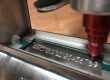
Two desktop laser marking machines can look the same in a photo. One marks Data Matrix codes on steel all shift. The other burns through white plastic or stops after a few hours. The difference is in the setup, not the box.
A desktop laser marking machine is a bench-top laser marker for parts that fit under its head. Choose a fiber laser marking machine for metal, MOPA for color or black marks, UV for plastics you are unsure of, and CO2 for wood or paper.
This page matches seven desktop setups to the parts they suit. Then it covers power, lens size, laser type, hobby versus industrial machines, and safety. Prices are our public prices, so you can compare like for like.
Already know your part? Send us the part and the mark you need and we will suggest a setup. Looking for handheld or inline models too? Compare handheld laser engravers for metal, or see all our laser marking machines.
A note on bias: I work for HeatSign, and we build the machines in the table below. Facts about hobby machines come from their makers’ own pages and manuals. We do not name or link them.
Which desktop laser marking machine fits your part?
Match the machine to the part. Serial numbers on steel or aluminum need a 20–30 W fiber laser marking machine. Deep or 2.5D work needs 50–60 W with a motorized Z axis. Unsure plastics need UV. Round parts need a rotary axis.
Your part or mark | Desktop setup | Power and lens | Our price |
|---|---|---|---|
Serial numbers, logos and Data Matrix codes on steel or aluminum parts | Desktop fiber laser marking machine (a 20 W mini model for small parts) | 20–30 W; 110 or 175 mm lens | $1,950–5,000 (mini: $1,800–3,500) |
Deep engraving, molds, 2.5D relief (shallow 3D shapes) | Deep engraving fiber laser marking machine with a motorized Z axis (it lowers the focus as the cut gets deeper) | 50–60 W | $2,900–3,900 |
Color on stainless steel, black on anodized aluminum, thin parts | MOPA fiber laser marking machine | 30–100 W; pulse width 2–350 ns | $3,500–6,000 |
Plastics (white or unknown grades), glass, PCBs, medical parts | UV laser marking machine | 3–5 W; 10 W for faster work | $3,000–5,900 |
Wood, leather, paper, acrylic | CO2 laser marking machine | 40–60 W | $3,000–6,500 |
Shafts, pipes, pins and rings | Fiber laser marking machine with a rotary axis | 30–60 W | $2,250–5,300 |
Shared workshop, office or a strict safety audit | Enclosed fiber laser marking machine (Class 1) | 30 W | $3,500–7,000 |
Four terms used on this page
- Lens (F-theta lens)
- The lens under the laser head. It sets how big an area the machine marks in one go, such as 110 × 110 mm.
- MOPA
- A fiber laser source whose pulse length you can change. That lets it make colors on stainless steel and black marks on anodized aluminum.
- Class 1 and Class 4
- Laser safety classes. Class 4 means the beam can hurt eyes and skin, even from reflections. Class 1 means the beam stays inside a closed, interlocked cabinet.
- EZCAD
- Common marking software for galvo laser markers (fast mirrors steer the beam). It handles text, serial numbers and barcodes.
Most buyers we talk to start in row one. A 30 W desktop fiber laser marking machine with a 110 mm lens handles serial numbers, logos and small barcodes on most metal parts.
Move down the table only when the part asks for it: color, depth, plastic, a round shape or a shared room.

How much laser power does a desktop fiber marker need?
For most surface marks and barcodes on metal, 20–30 W is enough. Choose 50–60 W when you need deep engraving or faster cycles. Average power mostly sets speed; depth comes from pulse energy and the number of passes.
Power | Good for | Not the best for |
|---|---|---|
20 W | Small parts, surface marks, jewelry, tags | Deep marks, large logos at speed |
30 W | Most serial numbers, logos and Data Matrix codes on metal | Deep engraving in hard steel |
50–60 W | Deep engraving, 2.5D, faster cycles on large marks | Thin parts that warp with heat |
A fiber laser marking machine removes only a thin layer per pass. In our experience that is about 0.01–0.02 mm. A deep mark is many passes, so more power mainly saves time.
Power on a label is not power at the lens. The photo shows our meter on a 100 W source, caught at 91.09 W while it was still warming up. It settled at 100 W. Ask for the settled number, and for the source brand and model.

Which lens size should you choose for a desktop laser marker?
Choose the smallest lens that covers your part. A 110 × 110 mm field gives a spot of about 26 µm for fine text and small barcodes. A 200 × 200 mm field gives about 47 µm. Bigger fields mark larger parts, but with coarser detail.
Marking area | Typical spot size (beam width at the part) | Best for |
|---|---|---|
110 × 110 mm | About 26 µm | Small Data Matrix codes, fine text, jewelry |
175–200 mm square | About 47 µm at 200 mm | Nameplates, larger logos, several parts in one fixture |
300 × 300 mm | Larger again | Big panels and trays of parts; less fine detail |
The trend holds across makers. One European maker’s data sheet lists a 0.027 mm spot on a 70 × 70 mm field and 0.112 mm on a 310 × 310 mm field.

Big fields also lose a little energy and shape at the edges. When you accept a machine, mark one Data Matrix code in each corner and one in the center. Then grade all five, not just the middle one.
Fiber, MOPA, UV or CO2: which desktop laser marker suits your material?
Fiber laser marking machines mark metals and some plastics. MOPA machines add color on stainless and black on anodized aluminum. UV laser markers suit plastics, glass and PCBs, and are the safe choice when unsure. CO2 suits wood, leather and paper.
Marking stainless steel? Our laser engraver for stainless steel guide matches the machine to what the mark must survive.
Material | Desktop laser marker to use |
|---|---|
Steel, stainless, aluminum, brass, titanium | Fiber laser marking machine |
Black marks on anodized aluminum, color on stainless | MOPA fiber laser marking machine |
Hard plastics such as ABS (depends on color and additives) | Fiber, after a sample test; otherwise UV |
White plastics, films, medical plastics, glass, PCBs | UV laser marking machine |
Wood, leather, paper, cardboard, acrylic | CO2 laser marking machine |
The photo shows a black logo and QR code that a MOPA laser marking machine put on anodized aluminum. Standard fiber sources fire a fixed pulse, often around 80–120 ns, and usually leave lighter marks there. A MOPA source lets you set the pulse, which is how it gets black.
For 17 materials across three laser types, see fiber vs CO2 vs UV laser marking. For the pulse details, see MOPA vs Q-switched fiber laser sources.

Not sure which row your material is in?
Tell us the material, color and finish. We will tell you which desktop laser marker fits, or ask for a sample first.
Is a hobby desktop fiber laser machine good enough for factory parts?
A hobby desktop fiber laser machine marks the same metals, but it is built for lighter use. One maker’s manual says stop every 5 hours for 30 minutes. Most are open Class 4 machines, list no PLC inputs, and rate marks at 0.04–0.1 mm deep.
Hobby fiber machines sold online in the US cost about $1,500–5,300. They are good tools. But they are designed for a different job than a marker that runs beside a production line.
What you compare | Hobby desktop fiber laser machine | Industrial desktop laser marking machine |
|---|---|---|
Safety class | Usually Class 4, sold to run with the lid open; glasses included | Open Class 4, or enclosed Class 1 workstation |
Running time | One maker’s manual: stop every 5 hours for at least 30 minutes; keep power at 10–75% for long jobs | Built for shift work |
Line connection | Foot pedal or conveyor at most; no PLC (line controller) or digital I/O (signal wires) listed | 24 V start and stop, emergency stop, digital inputs and outputs, Ethernet |
Pulse control | Standard models list a fixed 80–120 ns pulse; MOPA versions cost more | Standard fiber or MOPA, chosen for the part |
Listed mark depth | 0.04–0.1 mm | Deeper with more passes or a deep engraving model |
Laser source | Some name the brand; some do not | Brand and model on the quote |
Warranty | 12 months to 2 years; one maker covers the laser for 1 year only | Varies; ask who repairs it and how fast |
A hobby machine is enough for prototypes, a sign shop, or a few batches a week. It is a risky choice when a line waits for the marker, when your customer audits laser safety, or when barcodes must be graded.
For the same question about laser engravers, see our laser engraving machine guide.
Should a desktop laser marker be open or enclosed?
An open desktop laser marker is Class 4, so operators need laser safety glasses and a controlled area. An enclosed machine with interlocked doors is Class 1 and suits shared workshops, offices and plants with strict safety audits.
US rules ask Class IV laser products to have a key switch, a remote interlock connector and a warning before the beam fires. Under the OSHA technical manual, Class IV beams are hazardous even when scattered, so everyone in the controlled area wears eye protection.
A fully enclosed, interlocked system counts as Class I in normal use. Some universities and plants also register any engraver with a Class 3B or Class 4 laser inside. An open machine can trigger that paperwork.

For the full safety picture, see laser classes for marking machines.
What should you check before you buy a desktop laser marking machine?
Ask for five things. The laser source brand and model. A settled power reading. Licensed marking software. Sample marks on your own part, with barcode grades at the four corners. And a spare parts and support plan.
- Laser source brand and model. “30 W fiber” is not a spec. “30 W JPT” plus the model is.
- A settled power reading. Measured on a meter after warm-up, on video if you cannot visit.
- Licensed software. Ask which software and whether the license is genuine.
- Marks on your own part. Barcodes at the four corners and the center of the field, graded if your customer scans them.
- Spare parts and support. Which parts ship from stock, how fast, and how support works in your time zone.
What goes into every HeatSign desktop machine
- We use MAX or JPT laser sources and licensed EZCAD software.
- Every machine runs 48–72 hours before it ships. A fiber laser marking machine takes about 5 working days to build, then 4–6 days by air.
- Most machines can be traced by serial number to their build and test record.
 Metal parts: desktop fiber laser marking machine20–60 W, lenses from 110 × 110 mm to 300 × 300 mm. $1,950–5,000.See the desktop fiber laser marker →
 Plastics, glass, PCBs: UV laser marking machine3, 5 or 10 W. The safe choice when you are unsure about a plastic. $3,000–5,900.See the UV laser marker →
 Shared rooms and safety audits: enclosed Class 1 laser markerClosed cabinet with interlocked door. $3,500–7,000.See the enclosed machine →
Desktop Laser Marking Machine FAQ
How much does a desktop laser marking machine cost?
Our desktop machines cost $1,800–7,000, depending on laser type, power and enclosure. Hobby fiber machines sold online in the US list at about $1,500–5,300. Most Western industrial brands quote on request.
Can a desktop fiber laser marking machine mark plastic?
Some plastics, yes, depending on color and additives. White plastics, films and medical plastics often mark poorly with fiber. If you are not sure, choose a UV laser marking machine or send a sample first.
How deep can a desktop fiber laser marking machine engrave?
Each pass removes about 0.01–0.02 mm in our experience, so depth comes from many passes. Hobby machines list 0.04–0.1 mm. For deep marks, use a deep engraving model, or see laser vs dot peen vs stamping.
Do I need safety glasses with a desktop laser marker?
With an open machine, yes. Open desktop laser markers are Class 4, so everyone nearby needs glasses rated for the laser’s wavelength. A fully enclosed, interlocked Class 1 machine does not need them in normal use.
What software do desktop laser markers use?
Industrial galvo laser markers commonly use EZCAD. Some hobby machines use LightBurn or their own app. Check that the software handles serial numbers and barcodes, and that the license is genuine.
Can a desktop laser marking machine work on a production line?
Yes, with a foot pedal, I/O signals (start and stop wires from the line), a fixture or a rotary axis. For products that keep moving, a flying laser coder fits better. See laser coding machine vs inkjet.
Pick the laser type by material, the power by the deepest or finest mark, the lens by the part size, and the cabinet by the room. Then ask the maker to prove it on your own part before you pay.
Sources
- US 21 CFR 1040.10, performance standards for laser products
- OSHA Technical Manual, laser hazards
- IEC 60825-1, Safety of laser products
- Hobby machine facts: the makers’ own product pages and manuals. Lens figures: public maker data sheets and our supplier data. We do not link to other companies’ sites.