A buyer writes “laser etch the part number” on an RFQ and sends it to two suppliers. One sample comes back with almost no depth. The other is cut 0.1 mm into the steel. Both suppliers say they did laser etching.
Here is the short answer to laser etching vs engraving. Laser etching melts a thin surface layer of the metal. Laser engraving removes metal to make a real cut. Laser annealing only changes the color and removes nothing. The difference is depth, and depth costs time.
This guide gives you a depth table to order from, lines you can copy into your request for quote (RFQ), and reference times for steel and aluminum. We build fiber, MOPA and dot peen markers, so I will also tell you when a laser is the wrong tool.
The short version
- Annealing: color change only, no depth. Fast, but fades above about 200 °C.
- Etching: a melted surface layer, from a few µm to about 0.1 mm. Seconds per mark.
- Engraving: a real cut, about 0.25 mm and deeper. Tens of seconds to minutes per mark.
- Order by depth, not by word. Suppliers use “etching” for depths that differ about 50 times.
- Only pay for the depth you need. If the part is blasted or galvanized later, mark deep. If not, a surface mark is enough.
Words used in this guide
- Annealing mark
- Like the heat tint near a weld, but controlled into a sharp black shape. Nothing is removed.
- Pulse energy
- How hard each single flash of laser light hits. It decides how much metal one pass removes.
- Data Matrix code
- A small square barcode, a bit like a QR code, used to track parts.
- MOPA laser
- A fiber laser that can change the length of each light pulse. It helps with black and color marks.
What Is the Difference Between Laser Etching, Engraving and Annealing on Metal?
Laser annealing changes the surface color without removing metal. Laser etching melts a thin surface layer, from a few microns to about 0.1 mm. Laser engraving vaporizes metal, usually from about 0.25 mm down. Depth, cycle time and durability rise in that order.
All three are laser marking. The laser just does a different amount of work on the surface.
Method | What the laser does | How deep | Time for a 10 mm Data Matrix code |
|---|---|---|---|
Annealing | Heats the surface until it turns dark, like heat tint near a weld. You see a smooth black mark. | None | Seconds |
Etching | Melts a thin top layer. You see a white, gray or dark mark, slightly raised. | A few µm to about 0.1 mm | Seconds |
Engraving | Burns metal away, one thin layer per pass. You can feel the cut with a fingernail. | About 0.25 mm and deeper | Tens of seconds to minutes |
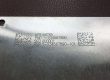
Here is the same stainless steel nameplate marked two ways. The black version is annealed. The white version is etched. Neither one has any depth you can feel.


What Does an Engraved Mark Look Like?
Engraving is different. The laser removes metal, so the characters sit below the surface. Run a fingernail across them and you feel each edge.
That depth is what lets an engraved mark survive blasting and heavy wear. It is also why it takes longer.
Can You Anneal Every Metal?
No. Annealing works on stainless steel, titanium and carbon steel. Bare aluminum does not anneal black.
On anodized aluminum, a MOPA fiber laser can make a dark mark by changing the anodized layer, as on this aluminum cover.

A MOPA laser mark on anodized aluminum.
Why Do Suppliers Disagree on What “Etching” Means?
Because there is no shared definition. One major laser maker lists etching at 0.025–0.127 mm deep. Other suppliers describe it as almost no depth, about 0.0025 mm. That is a 50-times gap, so write the depth you need, not the word.
We compared how well-known sources describe the same words:
Source | “Etching” depth | “Engraving” depth |
|---|---|---|
Keyence | 0.0254–0.127 mm (0.001–0.005 in) | 0.254–1.905 mm (0.01–0.075 in) |
Xometry, Boss Laser | About 0.0025 mm (0.0001 in), “little to no depth” | Up to about 0.5 mm (0.020 in) |
Laserax | Surface melt, no depth figure | Up to 500 µm; deep engraving to a few mm |
None of these sources is wrong. They describe different machines and different jobs. But if your drawing only says “laser etch”, a supplier can meet it with a mark that is 50 times shallower than the one you pictured.
For scale, a human hair is about 70 µm thick. A 2.5 µm etch is about 1/30 of a hair. A 0.1 mm engraving is a bit more than one hair.
How deep is each kind of mark?
Same scale. 1 mm = 1,000 µm. A human hair is about 70 µm.
ReferenceLaser mark
How Should You Specify a Laser Mark on a Drawing or RFQ?
Write four things. The process: annealed or material removed. A minimum depth and how to measure it. The barcode type with a minimum grade, such as grade C per ISO/IEC 29158. And every process the part goes through after marking.
Here are three lines you can copy and adjust:
Your need | What to write |
|---|---|
Serial number on stainless, no material removed | “Laser anneal, black, no material removal. Characters 2.5 mm high. Mark must remain readable after passivation.” |
Data Matrix that must survive shot blasting | “Laser engrave Data Matrix ECC200, 10 × 10 mm. Minimum depth 0.10 mm, measured with a depth gauge. Minimum grade C per ISO/IEC 29158 after blasting.” |
Part number, cosmetic, e-coated after marking | “Laser mark part number, 3 mm characters. Surface mark acceptable. Part is e-coated after marking.” |
The last line matters most. What happens to the part after marking decides how deep the mark must be. Whether you call it etching or engraving does not.

Your quality team will want the grade written down. A barcode that scans on a phone can still fail an audit.
ISO/IEC 29158 is the grading method for direct part marks (DPM); see how Data Matrix codes on parts are graded under ISO/IEC 29158. If a supplier grades your barcode with ISO/IEC 15415, ask again. That standard is for printed labels, and it can fail a laser mark that is fine.
Not sure what to write on your RFQ?
Send us the drawing, the material and your finishing steps. We will reply with a process, a minimum depth and a quote.
How Long Does Each Method Take per Part?
A surface mark takes seconds. Deep engraving takes tens of seconds to minutes, depending on the metal. In one published test, a 20 W MOPA laser took 112 seconds to engrave a 5 × 5 mm square 0.2 mm deep in stainless steel.
What Changes the Engraving Time?
Treat every number below as a reference range, not a promise. Engraving speed changes with:
- The metal. Aluminum removes far faster than steel. Copper and titanium behave differently again. For a laser, the type of metal matters more than its hardness.
- The lens. A lens that covers a bigger marking area spreads the laser energy, so it removes metal more slowly.
- The settings. Fewer, stronger passes save time but can bend thin parts from the heat.
- Speed or quality. In the test above, smooth, no-warp settings took 375 seconds, about three times longer.
Reference Times for Steel and Aluminum
Published removal rates for a 100 W fiber laser (254 mm lens). 1 mm³ is a tiny cube of metal, 1 mm on each side.
Metal | Metal removed per second | 10 × 10 mm Data Matrix, 0.1 mm deep* |
|---|---|---|
Steel | 0.05–0.11 mm³ | About 45–100 seconds |
Aluminum | 0.41–0.70 mm³ | About 7–12 seconds |
*How we worked it out: about half of a Data Matrix is dark cells. 10 × 10 mm × 50% × 0.1 mm = 5 mm³. Then 5 mm³ ÷ the removal rate = time.
This is our own math using published rates (Laserax). Your part will differ. Test it.
In our experience, a fiber laser removes about 0.01–0.02 mm per pass on steel, so 0.1 mm takes roughly 5 to 10 passes. A surface mark of the same Data Matrix code is one pass. In one published test, a surface-marked Data Matrix code on a die-cast part reached a good contrast (grade B) in under 10 seconds.

What Does That Mean for a Shift?
Say each part needs 60 extra seconds of engraving, and you mark 500 parts a shift. That is more than 8 extra hours: a whole shift for one machine. The only way to know your real number is to test your own part.
Does More Laser Power Make Engraving Faster?
Yes, but 5 times the power does not mean 5 times the speed: one published test found a 500 W laser is less than 5 times faster than 100 W. For marks under 0.1 mm, 20–30 W is usually enough.
A fiber laser does not shine all the time. It fires thousands of short flashes every second, like a hammer tapping very fast. The watts on the label (average power) tell you how much total work it does, so they set the speed. How hard each tap hits (pulse energy) decides how much metal one pass removes.
That is why the 20 W MOPA laser in the test above could still engrave 0.2 mm. It just needed more passes. Pay for 50 W or more only when you engrave deep marks on many parts.
Your job | What usually fits |
|---|---|
Serial numbers, logos, Data Matrix, surface marks on steel or aluminum | 20–30 W desktop fiber laser |
Black marks on anodized aluminum, color on stainless, thin parts that must not warp | MOPA fiber laser (adjustable pulse width, 2–350 ns) |
Marks 0.1 mm or deeper on many parts, molds, 2.5D relief (shallow 3D shapes) | 50 W+ fiber, or a deep-engraving laser with a motorized Z axis (the lens moves down as the cut gets deeper) |
0.3 mm or deeper, and the part will be blasted or galvanized | A pneumatic dot peen marker, not a laser |
 Desktop Fiber Laser, 20–50 WFor most surface marks, serial numbers and Data Matrix codes on steel and aluminum. $1,950–5,000.View machine →MOPA Fiber Laser, 30–100 WFor black marks on anodized aluminum, color on stainless and thin parts that must not warp. $2,500–6,500.View machine →
 Deep Laser Engraver (HS-FL35D)A motorized Z axis follows the cut down, for molds, 2.5D relief and deep serial numbers. $2,900–3,900.View machine →
When should you not buy a bigger laser? If your part only needs a surface mark and nothing blasts it off, the extra power just sits unused.
And if you need 0.3–0.8 mm, a pneumatic dot peen marking machine reaches that in one pass, in our experience, for a lower price. We compare the two in laser marking vs dot peen.

Planning a laser marker for your line?
Tell us the part, the material and how many you mark a day. Our sales team will send the right configuration and a full quote, shipping included.
Which Method Survives Your Next Process?
Match the mark to the process after it. Annealing marks fade above about 200 °C and can disappear in passivation. Etched marks survive powder coat and e-coat. Blasting needs engraving. Hot-dip galvanizing needs about 0.8 mm, which usually means dot peen.

After marking | Annealing | Etching | Engraving | Dot peen |
|---|---|---|---|---|
Heat above about 200 °C | Fades | Usually holds | Holds | Holds |
Passivation (acid) on stainless | Can fade | Test first | Holds | Holds |
Powder coat, e-coat | Can fade in the oven | Holds | Holds | Holds |
Shot or sand blasting | Removed | Removed | Holds if deep enough | Holds |
Hot-dip galvanizing | Removed | Removed | Only if very deep | Holds at about 0.8 mm |
Two sources are worth knowing. A German laser maker states that annealing marks are stable up to about 200 °C and disappear above that. For stainless medical parts, this Astro Pak paper on laser-marked medical devices explains why annealed marks can fade in the passivation acid.
If your parts get galvanized, blasted or heavily painted, read our guide on how deep a mark must be to survive galvanizing, blasting or paint. It has a depth budget for each finish.
FAQ
Is laser etching permanent?
Yes, until a later process removes the surface. Etching survives normal handling, oils and most coatings. It does not survive shot blasting or grinding, because those remove the thin layer it sits in.
Can a fiber laser engrave stainless steel deeply?
Yes, but it is slow. A published test engraved a 5 × 5 mm square 0.2 mm deep in about 2 minutes with a 20 W MOPA laser. Going past 1 mm takes many minutes or longer, and the part can warp.
Can you laser anneal aluminum?
No. Aluminum does not form the black oxide that steel and titanium do. Bare aluminum gives a white or gray etched mark. On anodized aluminum, a MOPA laser can make a dark mark.
Is laser engraving or dot peen better for deep marks?
For marks 0.3 mm or deeper that must survive blasting or galvanizing, dot peen is usually faster and cheaper. Choose deep laser engraving when you need a smooth, clean cut, such as mold cavities or fine logos.
Laser Etching vs Engraving: Choose the Depth First, Then the Machine
The most common mistake I see is ordering by the word. “Etch” and “engrave” do not tell a supplier how deep to go, and each 0.1 mm of depth costs time on every part. The second mistake is buying laser power for depth the part never needs.
Start from what happens to the part after marking. Pick the shallowest mark that survives it, write that depth and a grade into your RFQ, and test your own part to get a real cycle time.
Send us the part, the material and the finishing steps. We will tell you which process fits, roughly how long it takes, and what the machine costs.
Sources
- Keyence, “Laser Etching vs Laser Engraving vs Laser Marking”
- Xometry, “Laser Marking vs. Engraving vs. Etching”; Boss Laser, “Laser Etching vs Laser Engraving”
- Laserax, “Laser Etching & Laser Engraving” and “Deep Laser Engraving”
- Trotec, “Deep engraving of metals” help center article
- Trumpf, laser annealing application page
- Astro Pak, Developing an Effective Passivation Process to Maintain Laser Marked Medical Devices
- American Galvanizers Association, Marking Parts
- ISO/IEC 29158, direct part mark quality guideline