


Your inkjet coder needs ink and solvent every week. A sales rep says a laser coding machine needs none, and that it pays for itself. Sometimes that is true. Sometimes it is not.
A laser coding machine marks dates, lot codes and QR codes by changing the surface of the pack, so it needs no ink or solvent. It costs more up front than an inkjet coder. It pays back fastest on fast lines that run many shifts, on materials it marks well.
This page gives you the running costs side by side, a simple payback sum, a material guide, and a seven-point check for your line. The numbers come from public spec sheets and filter prices, not from our sales sheet.
Already know your line speed and packs? Send us your line details and we will suggest a laser coder and the parts around it.
A note on bias: I work for HeatSign. We build laser marking machines, including flying laser coders for production lines. We do not sell inkjet coders for food lines, so this page also says when inkjet is the better buy.
How is a laser coding machine different from an inkjet coder?
An inkjet coder sprays ink onto the pack, so you keep buying ink and solvent, and the printed date can rub off. A laser coder changes the surface itself. It needs no ink, but it only works on materials that absorb its beam.
Five terms used on this page
- CIJ (continuous inkjet)
- An inkjet coder that shoots a constant stream of tiny ink drops at the pack. Common on food and drink lines.
- Make-up solvent
- The thinner a CIJ coder adds to keep its ink at the right thickness. It evaporates as the coder runs.
- TIJ (thermal inkjet)
- A cartridge printer, like an office inkjet. No solvent system, but you replace cartridges.
- Laser coder
- A laser marking machine set up to print changing data, such as dates and lot numbers, on a moving line.
- Flying marking
- The laser marks while the product keeps moving. The machine reads the line speed and follows the pack.
What you compare | Laser coding machine | CIJ inkjet coder | TIJ cartridge coder |
|---|---|---|---|
What you keep buying | Fume extractor filters | Ink, make-up solvent, service modules | Ink cartridges |
Can the mark rub off? | No. It is part of the surface. | Yes, on some surfaces | Yes, on some surfaces |
Which surfaces | Only those that absorb the beam | Most surfaces | Mainly porous or coated ones |
Price to buy | Highest | Middle | Lowest |
Daily care | Little: keep the lens and filters clean | Head cleaning, ink and solvent top-ups | Swap cartridges |
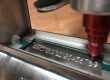
The photo shows a date and time code a UV laser coding machine put on a printed snack bag. There is no ink on the bag. The beam changed the top layer of the print.
Want to know which companies make inkjet and laser coders? See our map of industrial marking companies.

How much does a laser coder cost to run each year compared with CIJ?
A CIJ coder uses ink plus make-up solvent; one common model uses about 5 ml of solvent an hour. One CIJ maker puts ink and solvent at €1,737 a year for two shifts. A laser coder’s main running cost is fume filters.
Running cost item | CIJ inkjet coder | Laser coding machine |
|---|---|---|
Ink and solvent | €1,737 a year in one CIJ maker’s example: 250 packs a minute, two shifts, 250 days, two lines of text. Solvent at about €35 a liter. | None |
Solvent use | About 5.0 ml an hour on one common model, from its spec sheet | None |
Routine service | Clean the print head about every 3 months. Replace the service module every 12–18 months (6,000–13,000 hours), depending on the ink. | Clean the lens now and then |
Filters | None | Pre-filter about $219 and combined filter about £296, retail. Change them every 2–8 and 3–12 months, depending on material and shifts. |
Power | About 38–70 W while printing | Rated at 360 VA (20–30 W fiber laser marking machine) to 0.7 kW (30 W CO2 laser marking machine); real use is lower |
Life of the core part | Depends on service | CO2 laser source up to 45,000 hours; fiber laser source up to 100,000 hours mean time between failures (average running hours before a fault) |
Sources: CIJ and laser coder spec sheets from three major coding brands, one CIJ maker’s published cost calculator, a laser coder maker’s fume extractor maintenance guide, and public retail prices for the filters. Prices vary by country and supplier.
Two points are easy to miss. First, the filters are the laser’s “ink”. Change them less often than the guide says and smoke settles on the lens, which can damage it for good.
Second, CIJ solvent evaporates whenever the coder runs, even between packs. So a CIJ coder that idles for long shifts still costs money.
When does a laser coder pay for itself?
Payback years = extra price of the laser ÷ (yearly ink, solvent and service saved − yearly filter and power cost). Three shifts and high line speeds favor laser. On a slow two-shift line, inkjet can still cost slightly less per pack.
Here is the sum with the public numbers above. Treat it as our rough estimate, not a quote.
- What CIJ costs you now. In the CIJ maker’s two-shift example, ink, solvent and service come to €1,737 + €500 = €2,237 a year. That is roughly $2,500.
- What the laser costs to run. On a two-shift line coding plastic, expect about three pre-filters and two combined filters a year: about $650 + $770 = $1,420. On cartons or PET bottles, filters last longer.
- What you save. About $2,500 − $1,400 = $1,100 a year, before power. On cartons, nearer $1,700.
- Payback. A flying laser marking machine at $3,800–7,000, plus a fume extractor and a guard, takes several years to pay back at that saving.
That matches what the CIJ maker found. Once it added the price of the machine, its two-shift example came out at €0.008 per hundred packs for CIJ and €0.009 for laser. Close, but inkjet won.
The picture changes on fast, long-running lines. Solvent use grows with every extra hour, and a laser coder maker says payback “drops below three years easily” on drinks lines running 80,000+ bottles an hour. It also quotes a typical laser coder life of seven years or more.
A laser coder is the better buy if… | Stay with inkjet if… |
|---|---|
Your line runs three shifts, or close to it | Your line runs one or two slow shifts |
Printed dates rub off and cause rejects or complaints | Your current date and lot codes pass, and no one complains |
Your site wants less solvent in the air and in storage | Your packs change material often, so one laser will not fit all |
Your packs are paper, PET, glass, metal or a plastic that tests well | Your surface does not react to any laser in a sample test |
Want the sum for your line?
Send us your line speed, shifts, pack material and what you spend on ink now. We will send back the payback estimate.
Which packaging materials can a laser mark, and which should stay on inkjet?
CO2 laser coders mark paper, cartons, glass and PET. Fiber laser coders mark metal and some plastics, but not clear materials. UV laser coders mark thin films, HDPE and plastics you are unsure of. If the material does not absorb the beam, no mark appears.
Your pack | Laser coding machine to use | What to watch |
|---|---|---|
Cartons, paper labels, printed boxes | CO2 laser coder | The beam removes ink to show the paper below. You need a printed patch for contrast. |
PET bottles | CO2 laser coder | Thin walls can burn through. Test the power on your own bottle. |
Glass bottles and jars | CO2 or UV laser coder | CO2 gives a frosted mark. |
Aluminum cans, metal caps, metal parts | Fiber laser coding machine | A CO2 laser coder hardly marks bare metal. |
Hard plastic caps and parts (ABS, PC, PP) | Fiber laser coding machine, if your sample tests well | Results depend on color and additives. If unsure, choose UV. |
White HDPE or LDPE bottles, thin films, pouches | UV laser coding machine | Marks without additives and without hurting the film. |
Clear plastics | UV, after a test | A fiber laser beam passes straight through. Some clear plastics, such as POM, do not mark well with UV either. |
Surfaces that do not react in a test | Stay with inkjet | No laser can mark a surface that does not absorb its beam. |
A plastic is not one material. Color, filler and additives all change how it reacts. That is why we say: if you are not sure a fiber laser marking machine will mark your plastic, choose a UV laser marker, or send a sample first.
The photo shows a QR code a laser coder put on a red bottle cap. For a full list of 17 materials across three laser types, see fiber vs CO2 vs UV laser marking.


What does your line need before a laser coder goes on it?
Check seven things before install. Will the text fit the marking window at your line speed? Do you have an encoder and a product sensor? Plan the stand, fume extraction and a guard with interlocks. Check the labeling rules, then test your real pack.

- Speed and marking window. The mark must finish while the pack is still under the head. Rough check: time to mark = characters ÷ characters per second. In that time the pack moves on, so the window must cover the mark plus that distance.
- Encoder and product sensor. A photo sensor tells the laser coder a pack has arrived. An encoder on the conveyor tells it the line speed, so the mark does not stretch or squash.
- Mount and distance. Plan a stand that holds the marking head at its focal distance, and keeps it there when the line vibrates.
- Fume extraction. Every laser coder needs one. Plastics, and PVC most of all, wear filters out fastest.
- Safety guard. Laser coding machines are Class 4 before guarding. A closed guard with interlocks that cut the beam when opened brings the line to Class 1 (IEC 60825-1).
- What to print. In the EU, mandatory food text, including dates, needs letters at least 1.2 mm high (0.9 mm on packs under 80 cm²). Medicine packs in the EU and US need a 2D code with product code, serial number, lot and expiry.
- A sample test. Send your real packs and run them at line speed. A test on a flat sheet in a lab proves little.
Worked example: 60 m/min line
- 60 m/min = 1 meter a second.
- Two lines of text, 30 characters in all.
- If the laser coder does 600 characters a second on your material, marking takes 0.05 s.
- In 0.05 s the pack moves 50 mm. With a 25 mm long line of text, the window must cover at least 75 mm along the line, plus a margin.
This is a rough check, not a maker’s formula. Real speed depends on font, letter height and material. Spec sheets quote “up to 2,000 characters a second”, which is a best case.

Static marking or flying marking? See static vs flying laser marking on a conveyor. Coding cable or wire? See our laser wire marker guide.
Not sure your line is ready?
Send us your line speed, pack size and the text you print. We will check the marking window and tell you what the stand, sensor and guard need.
Which laser coder fits your packs?
Choose the laser type by your pack material, not by power. A CO2 laser coder suits paper, cartons, glass and PET. A fiber laser coding machine suits metal and some plastics. A UV laser coding machine suits films, white plastics and any plastic you are unsure of.
What our laser coders do, and don’t
- Our flying laser coders read line speed through an encoder and take a product sensor signal.
- The date, lot or serial can change on every pack: the coder counts up by itself or reads the next line from an Excel or TXT list.
- We do not sell CIJ coders for food lines. If inkjet suits you better, we will say so.
 Cartons, paper, PET and glass: CO2 flying laser coder40 W, for non-metal packs on a moving line. From $3,800.See the CO2 laser coder →
 Metal and some plastics: fiber flying laser marking machine60 or 100 W, for cans, caps, cables and pipes. $4,000–7,000.See the fiber laser coder →
 Films, white plastics, medicine packs: UV laser coding machineAlso the safe choice when you are unsure about a plastic. Priced to your line.See the UV laser marker →
See all three side by side on our flying laser marking machines page.
Laser Coding Machine FAQ
Is a laser coder cheaper than an inkjet coder?
It costs more to buy and less to run. On a slow two-shift line, the savings can take years to cover the price, and one CIJ maker’s math even shows inkjet slightly cheaper per pack. On fast lines running three shifts, a laser coder usually wins.
How long does a laser coding machine last?
Spec sheets give CO2 laser sources up to 45,000 hours and fiber laser sources up to 100,000 hours mean time between failures. A laser coder maker quotes a typical machine life of seven years or more.
Can a laser mark clear plastic film or glass?
Glass, yes, with a CO2 or UV laser coder. Thin films, usually with a UV laser coding machine. A fiber laser beam passes through clear materials, so a fiber laser marking machine is the wrong choice there. Test your own film first.
Does a laser coder need a fume extractor?
Yes. The extractor protects the lens and the people near the line. Its filters are the main running cost of a laser coder. Plastics, and PVC most of all, use them up fastest.
Is a laser coder safe on an open packing line?
Not without a guard. Laser coding machines are Class 4 before guarding. A closed guard with interlocks that switch the beam off when opened makes the installation Class 1 under IEC 60825-1.
Can a laser coder print a 2D code or Data Matrix?
Yes. Laser coders print QR codes and Data Matrix codes as well as text. Medicine packs in the EU and US need a 2D code with product code, serial, lot and expiry. See Data Matrix vs QR code.
A laser coding machine is a good buy for the right line, not for every line. Work out what your ink, solvent and service cost each year, check that your packs react to the beam, and plan the sensor, extractor and guard before you order.
Sources
- Regulation (EU) No 1169/2011, food information to consumers, Article 13
- IEC 60825-1, Safety of laser products
- EU Falsified Medicines Directive and US Drug Supply Chain Security Act: 2D code content on medicine packs
- CIJ, TIJ and laser coder spec sheets from major coding brands; one CIJ maker’s published cost calculator; a fume extractor maintenance guide; public retail filter prices. We do not link to other companies’ sites.


Que me recomiendan para codificar blister de tabletas
Puede ponerse en contacto con nuestros expertos para que le asesoren sobre etiquetado. Envíe su solicitud a info@heatsign.com
Thanks for sharing the useful information!