


PCB laser marking uses a focused laser to change or remove the top of the solder mask, the thin coloured coat on the board. Serial numbers, QR codes and Data Matrix codes then become a permanent part of the board. No ink, no label.
For most boards, a PCB laser marking machine should be a 3–10 W UV laser marker. It marks solder mask cleanly without burning the board or reaching the copper. CO2 suits larger marks on a tight budget. Fiber suits metal parts. Desktop UV units start around $3,000.
Pick the machine from three facts
- Which layer you mark: solder mask, bare board, copper or a metal shield
- How small the mark must be: under 3 mm, 3–5 mm, or bigger
- How many boards a day: a few hundred loaded by hand, or a full SMT line (the automatic line that places parts on boards)
Know your three answers already? Send us your board details and we will match a machine.

10 words to know first
A note on bias: I work for HeatSign. We build desktop and flying UV, fiber and CO2 laser marking machines, not full inline SMT cells. Figures from other makers come from the public sources listed at the end.
What does a laser actually do to a PCB?
On a PCB, the laser either lightens the top of the solder mask or removes it to show the board or copper underneath. Lightening the mask is the most common method. Both give enough contrast for a scanner to read a QR or Data Matrix code.
Think of the solder mask as paint on a wall. A light pass changes its colour. A harder pass scrapes it off. The copper and the thin copper lines (traces) under it should never be touched.
A paper at an IPC conference says the same. (IPC is the electronics industry association. The author makes PCB marking machines.) Changing the mask surface is the most used method, and both methods can reach 100% read rates. On bare FR4 with no mask, the laser bleaches the board to a near-white mark.

Where you mark | What the mark looks like | Watch out for |
|---|---|---|
Solder mask (most boards) | Lighter mask, or mask removed | Do not go through to copper |
Bare FR4 board | Bleached, near-white | Too much heat chars the board and makes smoke |
Exposed copper | Bright copper against the mask | Copper darkens over time, so contrast drops |
White silkscreen block | Dark mark on a white patch | The ink must be even from board to board |
Laser marks also beat the two older ways to mark a board. QR and Data Matrix codes printed in silkscreen need cells of 0.25–0.3 mm or more, and the mask can partly cover them. A marker pen “doesn’t withstand cleaning”, as one engineer put it on the EEVblog forum.
Which laser should you use for PCB marking: UV, fiber or CO2?
Use a UV (355 nm) laser for solder mask, flex circuits (bendable boards) and QR or Data Matrix codes under 5 mm. Use CO2 when marks can be larger and the budget is tight. Keep fiber lasers for metal shields and housings, because they burn FR4 easily.
UV, CO2 and fiber are three kinds of laser light. The kind of light matters more than the watts. UV light is “cold”: it breaks the mask without much heat, and its spot is tiny. CO2 light heats the surface and has a big spot. Fiber light works best on metal.
On this layer | UV laser marker | CO2 laser marker | Fiber laser marking machine |
|---|---|---|---|
Green or black solder mask | First choice: crisp, small marks | Works for larger marks | Possible at low power, burns easily |
Bare FR4 | Good, little charring | Good, more heat | Chars and smokes |
Flex circuit (polyimide) | First choice, low heat damage | More heat damage | Not advised |
Metal shield or housing | Works, slower | No | First choice |
Spot size explains most of the table. The spot is how wide the beam is where it hits the board.
A CO2 spot is about 10 times wider than a fiber spot and 30 times wider than a UV spot. Our UV laser marking machine draws lines down to 0.01 mm. A typical CO2 PCB marker draws lines about 0.1 mm wide.

Fiber is the choice buyers regret most often. One EEVblog user tried a 50 W pulsed fiber on a board. It removed mask at low power, but when it reached copper, the FR4 became “a burning charred mess”. Keep a fiber marker for shields, connectors and aluminum housings.
Watts matter less than you think. A 3–10 W UV marker is enough for most PCB marks. For a wider view by material, see fiber vs CO2 vs UV laser marking by material, or our guide on how to choose a UV laser marker.
Does solder mask colour change the result?
Yes. A UV or CO2 laser leaves a light mark, so dark masks such as black, blue and green give the most contrast. White mask gives the weakest contrast. Test every mask colour you run before you buy a machine.
Mask colour | Expected contrast | What to do |
|---|---|---|
Black, dark blue | High | Standard settings |
Green (most common) | Good | Standard settings, test each supplier |
Red, yellow | Medium | Test first |
White | Low | Ask for a dark patch, or a test before buying |
This table is a guide, not a test result. Mask brands mix their pigments differently. Two green boards from two suppliers can read differently, so send boards from each supplier you use.
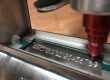
When the mark and the board are too close in colour, the IPC paper suggests a simple fix. Print a small solid white block in silkscreen ink, then laser the mark on that block. Your PCB supplier can add the block to the silkscreen design. The boards in the photo use exactly this trick.

How small can a laser-marked QR or Data Matrix code on a PCB be?
With a UV laser, a Data Matrix or QR code can be 3 mm square or smaller, with cells around 0.1 mm. Silkscreen printing needs cells of 0.25–0.3 mm. CO2 lines are about 0.1 mm wide, so plan bigger marks for CO2.
Decide the size of the QR or Data Matrix code first. Then pick the laser. On most boards, free space is the limit. Also leave a blank border around the QR or Data Matrix code, called the quiet zone. It should be about 10–20% of its width.

QR / Data Matrix size on the board | Laser that fits | Typical use |
|---|---|---|
Under 3 mm square | UV only | Phones, wearables, small modules |
3–5 mm square | UV, or CO2 with care | Most control boards |
Over 5 mm square | UV or CO2 | Power boards, big panels |
A Data Matrix holds the same serial number in less space than a QR code, which is why it is so common on boards. For the full comparison, see Data Matrix vs QR code.
Will the mark still scan after reflow, cleaning and conformal coating?
A laser mark on solder mask survives reflow, at about 260 °C peak, and board cleaning. Conformal coating is the real risk: it can fill the cells and cut contrast. Mark before coating, then check the grade after each process step.
Labels are the usual alternative, and they can survive too. A test of one polyimide label (a heat-resistant plastic label) still read 100% after 30 seconds at about 277 °C (530 °F). But labels can shrink when a technician repairs the board with a hot-air tool, and each label costs money. More on that below.
Check the mark at each step:
- After marking: grade it with a verifier, not a phone.
- After reflow: grade it again.
- After cleaning: check that the cleaner (flux remover) did not fade the mark.
- After coating: grade it once more. If it fails, mark before coating, or keep the coating off the marked area.
Which grading rule? Follow your customer’s drawing first. There are two common rules. Marks on solder mask are usually graded like printed labels (ISO/IEC 15415). Some customers treat the board like a metal part with a mark made directly on it, and use ISO/IEC 29158 instead. Read how barcode grades work before you approve a sample.
Some electronics customers also ask for traceability under IPC-1782. Traceability means you can trace each board back to its parts and process records. IPC-1782 sets four levels, from basic to full. The level is agreed between you and your customer.
Want to see your own boards marked?
Tell us the mask colour, mark size and boards per day. We will suggest a machine and settings, and mark sample boards if you send them.
Desktop, flying or inline: which setup fits your volume?
For prototypes and small batches, a desktop UV marker with manual loading is enough. When boards move on a conveyor, a flying UV marker keeps pace. A full inline cell, with its own camera, board flipper and line link (SMEMA), suits high-volume SMT lines.
Setup | How boards get marked | Good for | Price |
|---|---|---|---|
Desktop UV laser marker | An operator places each board or panel | Prototypes, small and medium batches | $3,000–5,900 |
Flying UV laser marker | Marks boards as they pass on your conveyor | Lines with a steady flow | $6,000–9,000 |
Full inline PCB marking cell | Own conveyor; a camera finds each board and reads back each mark; a board flipper can be added | High-volume SMT lines | $100,000 and up |
Desktop and flying: our prices at the time of writing. Inline: the IPC paper quoted $110,000–150,000 for a fully automated cell some years ago. Most makers today give prices only on request.
How fast is marking? The same IPC paper timed a 4-up panel at 0.5 seconds per board and a 10-up panel at 1.5 seconds per board. That includes the time the camera needs to find each board. On a desktop, add your loading time.
Quick check: boards per day × seconds per board ÷ 3,600 = hours of marking. At 1,000 boards and 2 seconds each, that is about 33 minutes a day. A desktop UV marker handles that easily.
If the boards never stop moving, look at flying laser marking machines before an inline cell.

How much does PCB laser marking cost per board, and when does it beat labels?
Laser marking costs almost nothing per board once the machine is paid for. A high-temperature polyimide label costs about $0.08–0.09 before printer ribbon and labour. At 500 boards a day, a $5,000 UV marker pays back in about 111 working days on labels alone.
Here is the math, so you can use your own numbers. Only the label price is counted. Ribbon, label printers and the time to apply each label are extra savings on top.
Boards per day | Label cost per day | Days to pay back $5,000 |
|---|---|---|
100 | 100 × $0.09 = $9 | About 556 |
500 | 500 × $0.09 = $45 | About 111 |
1,000 | 1,000 × $0.09 = $90 | About 56 |
The running cost of the laser is tiny. The IPC paper put it at under $0.00035 per board for power and parts. If you mark only a few dozen boards a day, labels may still be the cheaper choice. Buy the laser when you mark many boards a day, or when the board has no room for a label.
How do you put a unique serial number on every board?
Set the marking software to build each serial number from a prefix, a start number and a step, or import the list from a TXT or Excel file. EZCAD, the software on our markers, does both. Inline cells can also pull numbers from your MES (factory software).
Do not edit the design file by hand for each board. One EEVblog user summed it up: “Individualised serial numbers were a pain with our laser cutter software”. A laser marker is built for this job.
Method | How it works | Best for |
|---|---|---|
Auto-increment | Prefix + start number + step, e.g. HS2610-0001, -0002 | Simple runs |
File import | Reads the next line from a TXT or Excel list | Numbers set by your ERP (business software) or customer |
Live link | Gets the number from your MES for each board | Inline lines with full traceability |
A repeated serial number is a traceability failure. Lock the counter so no one resets it by mistake, keep a log of every number marked, and grade the first board of each batch. For more on numbering rules, see serial number marking.
What should you check before you buy a PCB laser marking machine?
Send boards in every mask colour you use and ask for marked samples run through your reflow, cleaning and coating. Ask for a verifier grade, not a phone scan. Check that the marking area covers your panel, and plan for fumes and laser safety.
7 checks before you order:
- Every mask colour. Send real boards from each board supplier.
- After your process. Ask for samples taken through reflow, cleaning and coating.
- A grade, not a scan. Ask which standard was used (ISO/IEC 15415 or 29158).
- Marking area. Our standard marking area is 110 × 110 mm. Other lenses give areas from 150 to 300 mm for bigger panels.
- Fumes. FR4 “burns and creates nasty fumes”. Add a laser fume extractor.
- Laser safety. Open UV markers are Class 4, the highest hazard class: the beam can hurt eyes. For daily production, add an enclosure, or a door switch (interlock) that stops the laser.
- Static. Ground the work table. For assembled boards, follow your rules against static damage (ESD).
For most electronics shops, one of these three is the right starting point:
 Prototypes and small batches: 5 W UV laser markerAir-cooled desktop unit. Serial numbers and Data Matrix codes on solder mask. From $3,000.See the UV laser marker →
 Long shifts: 10 W water-cooled UV markerSteadier output over long runs. Up to $5,900.See UV options →
 Boards on a conveyor: flying UV markerHS-UV10. Matches the speed of your conveyor. $6,000–9,000.See flying markers →
Marking more than boards? Our page on laser marking for electronics covers chips, connectors, housings and cables.
PCB Laser Marking FAQ
Can a fiber laser mark a PCB?
Yes, but with care. At low power a fiber laser can remove solder mask. It heats the board much more than UV, so it chars FR4 easily. Use a fiber laser marking machine for metal shields and housings, and UV for the board itself.
Will laser marking damage copper traces?
Not with the right settings. A UV laser changes only the top of the solder mask. Still, place marks on an empty area or a ground plane (a large copper area under the mask), not on top of thin copper lines (traces). Then a setting mistake cannot cut a circuit.
Should you mark the bare board or the assembled board (PCBA)?
Either works. Marking the bare board before reflow gives traceability for the whole build. Marking after assembly works too, but tall parts can block the beam. Always mark before conformal coating.
Can I make a PCB with a laser marking machine?
Some hobbyists use laser engravers to make prototype boards. That is a different job. A PCB laser marking machine is built to put serial numbers, barcodes and text on finished boards in production.
What laser power do I need for PCB marking?
A 3–10 W UV laser marker covers most PCB marks. More power mainly adds speed. For long shifts, a water-cooled 10 W unit holds its output more steadily than a small air-cooled one.
Is a phone scan good enough to check QR or Data Matrix codes on a PCB?
No. A phone only tells you the mark can be read today. A verifier grades it from A to F, which tells you if it will still read after reflow, cleaning and handling, and if it meets your customer’s spec.
What standards apply to PCB laser marking?
IPC-1782 sets traceability levels for electronics. ISO/IEC 15415 and ISO/IEC 29158 grade barcodes, QR codes and Data Matrix codes. SMEMA covers how inline machines connect to an SMT line. For laser safety, an enclosed machine is Class 1 and an open one is Class 4.
What materials can a PCB laser marker mark?
A UV laser marker handles solder mask, bare FR4, flex circuits (polyimide), ceramic boards and the plastic bodies of parts. Metal shields and housings mark best with a fiber laser marking machine.
The most common mistake is buying by watts and testing on one clean sample. Choose by layer, mark size and volume, then test on your own boards, in every mask colour, after your own reflow and coating. A $3,000 UV marker that passes that test beats a bigger machine that was never tried on your boards.
Sources
- Rick Stevenson, Implementing Laser Marking of Printed Circuit Boards, IPC APEX conference paper
- IPC, IPC-1782, standard for manufacturing and supply chain traceability of electronic products
- ISO/IEC 15415, 2D symbol print quality; ISO/IEC 29158, direct part mark quality guideline
- 3M, polyimide label material 7812 data sheet
- EEVblog forum, “Laser marking PCBs – what’s needed?”
- PCB maker design guides on QR code size and quiet zone; label distributor price lists. Laser marking maker documents are not linked.



How much for one for my home . Just for DIY jobs in the house
Please send your request to info@heatsign.com , we will reply as soon as possible
how much it cost? pcb-laser-machine
Thanks for your information! My colleague will contact you soon!
It’s good to know that laser marking PCBs is usually cheaper than using chemicals to do the same. It’s amazing, all the different things you can do with industrial lasers. You can use them for etching, cutting, and more.